

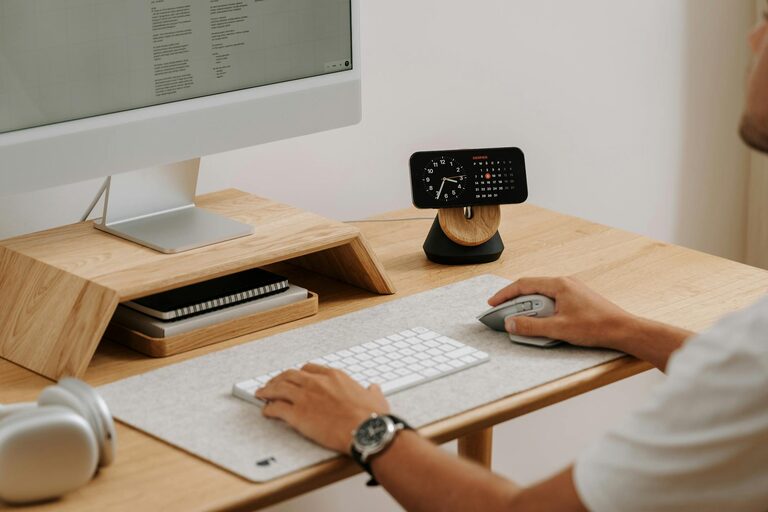
Creating a home office that feels both relaxing and productive might seem like a challenge, especially when the boundaries between work and home life blur. However, with some thoughtful adjustments and simple strategies, you can design a workspace that helps you focus while also reducing stress. Whether you’re starting from scratch or updating an existing space, these tips can help transform your home office into a comfortable and efficient environment.
Choose the Right Location
The foundation of a good home office begins with selecting the right spot. Ideally, this area should be quiet, separate from high-traffic zones in your home, and have enough space for your equipment and storage needs.
– Natural Light: Position your desk near a window, if possible, to take advantage of daylight. Natural light can improve mood and reduce eye strain.
– Minimise Distractions: Avoid placing your workspace opposite busy areas like the kitchen or living room where noises and movement can distract you.
– Ergonomic Space: Ensure there is enough room to move comfortably and organise your items efficiently.
Invest in Comfortable Furniture
Your office furniture impacts both your physical health and comfort throughout the day.
– Ergonomic Chair: Choose a chair that supports your back and encourages good posture.
– Desk Height and Size: The desk should be at a height that allows your forearms to rest parallel to the floor. Ensure there’s enough surface area for your computer, documents, and any other tools you need.
– Adjustable Furniture: Consider a sit-stand desk or accessories like a keyboard tray to vary your posture during the day.
Personalise Your Space
Adding personal touches to your home office can create a more welcoming environment and boost your mood.
– Plants: Incorporate greenery with small potted plants or succulents. They improve air quality and add a natural, calming element.
– Artwork and Photos: Choose artwork or photos that inspire and relax you without cluttering the space.
– Colour Choices: Opt for calming colours like soft blues, greens, or neutrals on the walls or accessories, which can promote focus and reduce anxiety.
Maximise Organisation and Storage
A tidy workspace helps keep your mind clear and your productivity higher.
– Declutter Regularly: Remove items not related to work and avoid overcrowding your desk.
– Use Storage Solutions: Shelves, filing cabinets, desk organisers, and trays help keep paperwork and supplies in order.
– Wire Management: Keep cables neat and out of sight using clips, sleeves, or cable boxes to reduce visual distraction and improve safety.
Optimise Lighting
Proper lighting is essential for productivity and preventing eye strain.
– Layered Lighting: Use a combination of natural light, overhead lighting, and task lamps to create a well-lit environment.
– Adjustable Desk Lamps: Position a lamp that provides direct light on your workspace without glare.
– Avoid Screen Glare: Adjust your monitor and lighting sources to reduce glare and reflections on your screen.
Maintain Good Air Quality and Temperature
Comfort is not just about furniture; air quality and temperature also play key roles.
– Ventilation: Open windows regularly or use air purifiers to keep air fresh and free from indoor pollutants.
– Temperature Control: Keep the room at a comfortable temperature. Portable fans or heaters can help with fluctuations.
– Humidity Levels: A humidifier can help manage dryness, especially in colder months.
Establish Boundaries for Work and Relaxation
To create separation between work time and downtime:
– Set Defined Work Hours: Stick to specific work hours and close your office space at the end of the day if possible.
– Use Door or Divider: If your workspace allows, close the door or use a room divider to signal the end of work.
– Designate Break Areas: Avoid eating or relaxing in your office to prevent the space from blending into relaxation zones.
Incorporate Technology Wisely
Technology is essential but should support your productivity without causing distractions.
– Reliable Equipment: Invest in a good quality computer, printer, and high-speed internet connection.
– Noise Control: Use noise-cancelling headphones if background noises are unavoidable.
– Software Tools: Utilise productivity apps, calendars, and reminders to keep tasks on track.
Maintain Routine and Self-Care
Even the best workspace won’t help if you neglect your own well-being.
– Take Regular Breaks: Step away every hour for a short walk or stretch.
– Stay Hydrated and Nourished: Keep water and healthy snacks nearby.
– Maintain Work-Life Balance: Engage in activities outside work to recharge.
—
Creating a home office space that is both relaxing and productive is about balance. By paying attention to the layout, organisation, comfort, and atmosphere, you can craft a workspace that not only supports your professional needs but also contributes to your overall well-being. With these practical tips, you’ll be well on your way to enjoying a more enjoyable and efficient work-from-home experience.